Arrival day planner
You’ve landed. Find your first stop.
A new country, a check-in later, and a few hours to explore. Start with your arrival time, where you are staying and how much energy you have. Use Navly to shape a first day you can follow on your iPhone.

Free to download. Manual planning is free; AI planning requires Pro or Max.
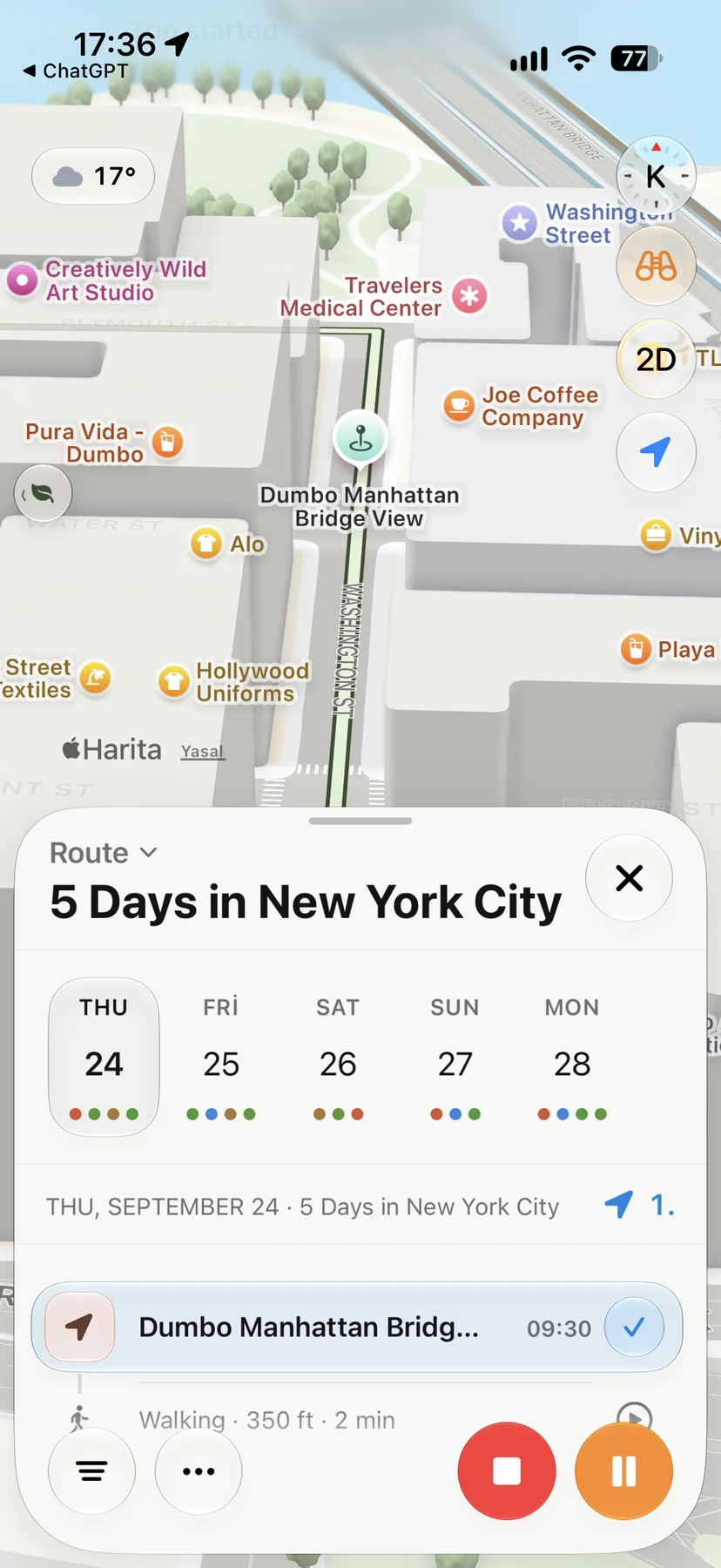








Start with the day you actually have.
01
Put arrival and check-in in context
Keep your flight and stay details with the trip. Tell the assistant your starting place and available time, leaving room for airport formalities, getting into town and checking in.
02
Choose a manageable first day
Ask for a short walk, somewhere to eat or a few stops around your stay. Check the daily route and available travel estimates before deciding what fits.
03
Adjust as the day unfolds
Arrived later or want to rest? Ask to shorten the day, review the proposed changes, and keep the stops you still want. Open directions in Apple Maps when you are ready.
An example request after landing
“I’ve just arrived in New York. I’m staying in Brooklyn and have this afternoon free. Help me plan a relaxed walk and a meal, with time to check in first.”
An example request. Add your own arrival details and starting place.